It is the third decade of the 21st century and I found Running DOS on 64-bit Windows and Linux: Just because you can
I have experimented with FreeDOS. To conveniently have any networking you have to install it in a virtual machine. I have done this and it works. The problem is getting files in and out of the VM. This is doable, but it is certainly not convenient. I also installed it native on an old (2011) laptop, and then afterwards installed Xubuntu as a dual boot system. Xubuntu can see the FreeDOS disk partition, so I can copy files into it, then reboot into FreeDOS. There I can do whatever I had in mind, then reboot into Xubuntu to extract my output files. Even more hassle than using a VM. The only reason to do it is to experience DOS natively on (sort of) modern hardware. So I looked for other options.
First I tried Dosemu2 on an Ubuntu 22.04 system. The installation set up several “drives” with various files on them, notably FreeDOS files. When I started it for the first time I had to create a C drive, which in the host Ubuntu environment ended up as ~/.dosemu/drive c. With this I was able to have a usable DOS environment where I could easily move files in and out.
Having tried WordStar on FreeDOS I decided to repeat the process here. I copied WS4.ZIP into C:\ and created the directory C:\WS4. Unfortunately there was no UNZIP.EXE on the system. I eventually copied it {and ZIP.EXE) from a FreeDOS system and put them, and other programs, into a a C:\BIN diectory. DOSEMU2 lets you create C:\USERHOOK.SYS and C:\USERHOOK.BAT in place of the old C:\CONFIG.SYS and C:\AUTOEXEC.BAT files to customize your system. My USERHOOK.BAT file has the single line path=%PATH%;c:\ws4;c:\bin. I was amazed that I remmbered the old DOS syntax for this and did not have to look it up.
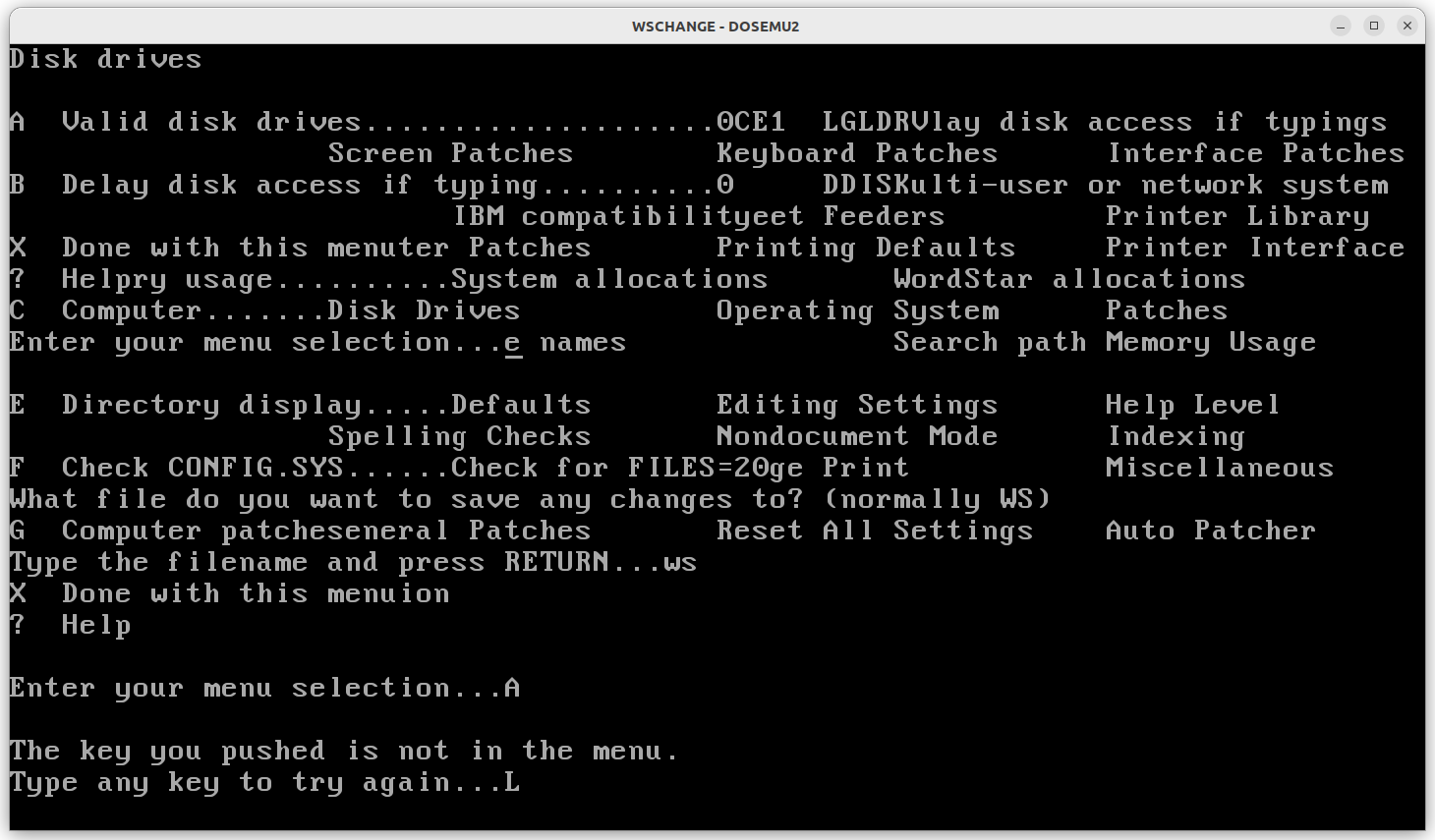
My UNZIP.EXE worked fine and put all the WordStart files into C:\WS4. At that point I started WSCHANGE.EXE. This left me with a garbled screen. The program was unusable and I had trouble exiting it. I tried changing a couple configuration items but that had no effect
Some dosemu2 links:
- DOSEMU.org
- Dosemu2
- dosemu2/dosemu2
- DOSEMU2
- Welcome to the dosemu2 wiki!
- dosemu2/README.md
Create c:\userhook.sys and/or c:\userhook.bat files to customize your boot sequence. userhook.sys can contain the config.sys directives and userhook.bat can contain custom boot commands.
- A complete beginner’s guide to dosemu2
- Install dosemu2 dos emulator in Ubuntu and Ubuntu based distributions
- WordPerfect for DOS under Linux and dosemu2
I then tried DOSBox-X on the same Ubuntu 22.04 system. This is a distributed as a flatpak. Out of the box Ubuntu supports snap applications, but not flatpak. This is easily fixed:
  sudo apt update
  sudo apt install flatpak
When you start DOSBox-X you are in a Z: drive. You can then mount a C drive. What you want to do, of course, is automate this. There is a GUI configuration program that looks like it should do this (and a lot of other things), but I could not get it to save the changes. I ended up modifying the configuration file ~/.var/app/com.dosbox_x.DOSBox-X/config/dosbox-x/dosbox-x-2023.05.01.conf by adding these two lines at the end.
mount c ~/DOSBoxC
c:\autoexec.bat
where DOSBoxC (the C drive) is a file in my Ubuntu home directory and AUTOEXEC.BAT file has the single line path=%PATH%;c:\ws4;c:\bin. I may add more lines later. As before, I manually created the directories C:\WS4 and C:\BIN and copied WS4.ZIP to C:\ and then unzipped it. DOSBox-X does include UNZIP.EXE (and ZIP.EXE) so I did not have to add that to the system. I then changed directory to C:\WS4 and started WSCHANGE. Here in DOXBox-X it worked correctly:

So DOSBox-X seems more useable for WordStar. I had really wanted DOSEMU2 to work, since it can take advantange of hardware virtualization on the host system, but that is not happening now.
Some DOSBox-X links:
 From Hilbert Space to Dilbert Space, and beyond